
HK Primary Interview editorial content · Updated:
The examples and exercises below are illustrative material, not real student case studies or school test questions. Use them for family preparation; check each school’s current requirements before submitting documents.
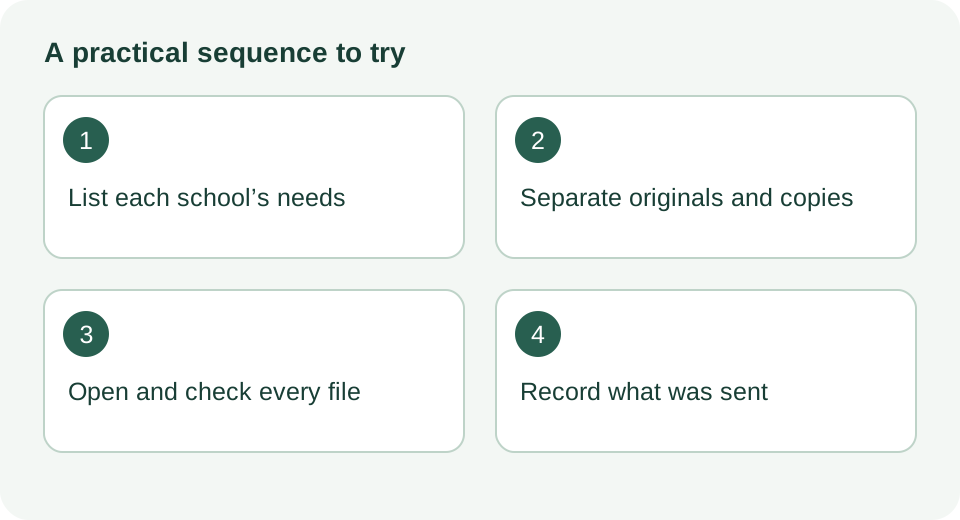
Three piles, not one pile
Read each school’s current notice, then organise three sets: originals kept securely, paper copies where requested, and digital files for upload. Originals can take time and effort to replace. Do not post or surrender one unless the official instructions require it and explain the handling arrangements.
The value of this sorting is emotional as much as practical. When a school asks for an original and you know exactly which drawer it lives in, you feel calm. When a portal rejects an upload because the file is too large, you have not lost anything; you simply rescan at a lower setting. Chaos comes from mixing the three categories, so label three folders or three envelopes today, even before you have read any notices.
One caution applies throughout: a requirement is only real once the school's own notice states it. Everything in this guide is a method for organising what the notices say, not a substitute for reading them.
Build one matrix per school
Take a sheet of paper or a simple spreadsheet for each school. Across the top, five headings: the document, the version or date the notice specifies, whether it must be an original, a copy or an upload, the exact format and size if it is an upload, and a final column recording what you actually sent and when. The last column matters more than parents expect. Months later, when a school queries a missing item, your record of what you uploaded on which date is the only evidence you have.
Worked illustrative example, for a hypothetical school called Sunnybank, using invented requirements purely to show the method:
| Document | Version or date specified | Original, copy or upload | Filed, format and date |
|---|---|---|---|
| Birth certificate | Full certificate as stated in notice | Upload plus show original later | JPG, under 2 MB, sent 3 Oct |
| Address proof | Issued within last 3 months | Upload | PDF, under 5 MB, sent 3 Oct |
| K2 report | Second-term report | Upload | Pending; school contacted 2 Oct |
Filenames that protect your child
Name files so a stranger seeing one alone cannot identify your child fully. Instead of ChanTaiMan_HKID_A1234567_birthcert.pdf, use a structure like Surname_birthcert_Sunnybank.pdf. Keep the full identity details inside the document itself, where they belong, and keep them out of the filename. This sounds fussy until you consider how many inboxes and shared drives a single application email can pass through.
Add the school name to every filename the moment you duplicate a file for a second school. When you are uploading to five portals in one evening, Chan_birthcert_Sunnybank.pdf versus Chan_birthcert_Harbourview.pdf prevents the classic error of sending School B's covering letter to School A.
Follow any filename convention specified by the school. A short filename helps organisation but does not remove personal information inside the document.
Scans a stranger can read
Check the actual file type, size, page and image requirements of the portal. Preview each uploaded file for legibility and missing edges. Include reverse sides when required or when they contain information the school requests. Do not split a document or change its format simply because another school accepted that format; ask about any unclear requirement.
Address evidence: the one standard worth knowing
Keep two requirements separate. In the EDB Primary One Admission (POA) process, address evidence concerns the child’s genuine principal residence. Sacred Heart Canossian School Private Section’s 2027/28 notice separately asks for identity and permission-to-stay documents for children born outside Hong Kong. Those immigration documents are not the same as proof of a home address.
For POA address evidence, use the current EDB annex: it lists suitable documents such as utility or fixed-line bills and stamped tenancy agreements, while bank statements and mobile bills are not accepted examples. Check the full requirements and your actual residence. A private school’s own document list must be read separately.
Further reading: EDB: recognised residential address evidence · Sacred Heart Canossian School Private Section: 2027/28 admissions
The grandparent's address: ask before you assume
A common situation, entirely hypothetical here: your family lives with the child's grandfather in his owned flat, and all the bills carry his name. Some parents assume this rules the address out; others assume a note explaining the arrangement will do. Neither assumption is safe. Residence must be genuine, and a school or the authority checking an address will want the documents to match the reality of where the child actually lives.
The EDB annex asks for relationship evidence when the bill is in a grandparent's name, which shows that documentation of the relationship is part of what gets checked; it does not say the arrangement is automatically acceptable, and residence must be genuine, so treat this as a question for the school or the authority to answer in writing. Your job is to close that gap with the school's own guidance, not with a forum opinion. Send a short, specific question well before the deadline:
Wording you can adapt
Email subject: P1 2027/28 application - query on acceptable address proof. Body: Dear Sir or Madam, we are preparing an application for [school name] and our family resides at an address where the utility bills are in the name of the child's grandfather, [name]. Could you kindly advise what supporting documents you would accept in this situation? We are able to provide [list only the documents your family actually holds, for example a stamped tenancy agreement]. Please let us know if further documents would help. Thank you for your guidance.
Ask what evidence is accepted and keep the reply. If the deadline is close, say so and seek instructions promptly; continue preparing the other required items while the question is outstanding. Do not assume a query creates an extension.
Reports that do not exist yet
Kindergarten reports create a timing trap. A school may ask for the K2 second-term report at a moment when your child's kindergarten has not issued it, or has issued only the first-term report so far. The wrong response is to substitute something else, such as a homework sample or a self-written summary, and hope it passes. The right response is a one-line question to the school: our kindergarten issues the second-term report in [month], may we submit it once available, or would you prefer the most recent report now?
This is a common timing situation, and the only reliable answer comes from the school itself, in writing, so the question costs you little and the reply belongs in your application folder. What you must not do is invent a replacement document, and equally you must not let the missing report silently block the rest of the application. Note it in the pending column of your matrix, set a reminder for the month the report arrives, and move on to the items you can complete today.
Check the actual files against the notice
If another adult is available, one person can read the requirements while the other opens each file. Check the child, school, school year, document type, date, page count and upload limits. Use the school’s required filenames where specified.
If checking alone, make a separate final pass rather than relying on memory. Mark unresolved items and handle them according to the deadline and the school’s instructions. A second reader can help, but is not a condition of submitting an application.
A custody log and an error-correction email
Keep one running log, on paper or in a note, with a line for every document that leaves your hands: what it was, which school, posted or uploaded, the date, and any reference number the system gave you. Originals deserve their own entries, because an original posted to a school and never returned is the single most painful document loss in this process. The log turns a vague worry, did we send the certificate to Harbourview or Sunnybank, into a thirty-second lookup.
If you uploaded the wrong file, use the stated correction procedure. If none is published, ask: “We submitted application [number] on [date] and noticed that [specific file] is incorrect. Could you confirm how we should replace it, and whether a deadline applies?” Send the corrected document through the channel the school specifies and retain the acknowledgement.
A submitted file is not necessarily a verified file. Follow the notice’s acknowledgement and enquiry arrangements, and track the actual deadline rather than waiting an arbitrary week. If a correction is accepted, record what was changed and when.
Your next hour
Start with the nearest deadline. Copy that school’s requirements into your matrix, then open the actual papers and files to see which requirements are satisfied and which need work. A missing item should have an owner and a next action, not just a blank box.
Send necessary clarification questions promptly through the published channel. Keep working on the items you can complete, and check whether the school has answered before the relevant deadline.
Frequently asked questions
Can I scan everything once and reuse the same files for all five schools?
Usually yes for the documents themselves, but not for the files as saved. Each school may specify different formats, size limits or naming conventions, so duplicate and adjust per school, and keep the school name in each filename so nothing goes to the wrong place.
We moved flat recently and the newest bills show the old address. Which address do we declare?
Declare the address where the child genuinely lives now, and match it with the strongest evidence you can, such as a stamped tenancy agreement for the new home. If you are unsure which documents a particular school accepts in a recent-move situation, ask the school directly and keep its written reply.
Should I post the original birth certificate?
Not unless the school's notice clearly asks for it. The notice is the only reliable guide to whether an original is needed at submission or at a later stage; do not assume either way. If a notice is ambiguous, one short email is cheaper than losing an irreplaceable document in the post.
The portal keeps rejecting my PDF. What now?
Check three things in order: the file size against the stated limit, the file type against the accepted list, and whether the filename contains characters some systems dislike, such as full-width brackets or spaces. If all three look fine, email the school with the reference number and a description of the error message rather than retrying blindly.
Our kindergarten gives reports in Chinese only. Do we need a translation?
That depends entirely on each school's notice, which may or may not mention language requirements. Ask the school before paying for any translation, and keep its written reply in the application folder alongside the report.
Discussion background and sources
This topic was informed by search-index excerpts of the public discussion below; the complete thread could not be retrieved directly. Historical comments identify a parent question, not current admission rules or admission chances. Consult the official sources and the notice addressed to your family.
- Education Kingdom: 培正interview (2012 discussion) — discussion background
- EDB: recognised residential address evidence — official source
- Sacred Heart Canossian School Private Section: 2027/28 admissions — official source
Sources checked:
Put the preparation into practice
Find schools and official websites · Parent-child practice games · Editorial policy